- Corporate
- Solutions
- Microsoft Solutions Overview
- Microsoft Dynamics 365 Business Central ERP Solution with Copilot Ai technology
- Microsoft Dynamics 365 – Sales (CRM)
- Microsoft Sustainability Solutions
- Microsoft Copilot Services
- Microsoft Fabric
- Microsoft Dynamics 365 Finance
- Microsoft Dynamics 365 Supply Chain Management
- Marketplace Offers
- AI Agents
- Services

Expense Management AI Agent
MICROSOFT 365 COPILOT · AI AGENT
AI-Powered Expense Management Agent for Microsoft 365 Copilot
Transform Expense Claims from a Manual Process into an Intelligent Conversation
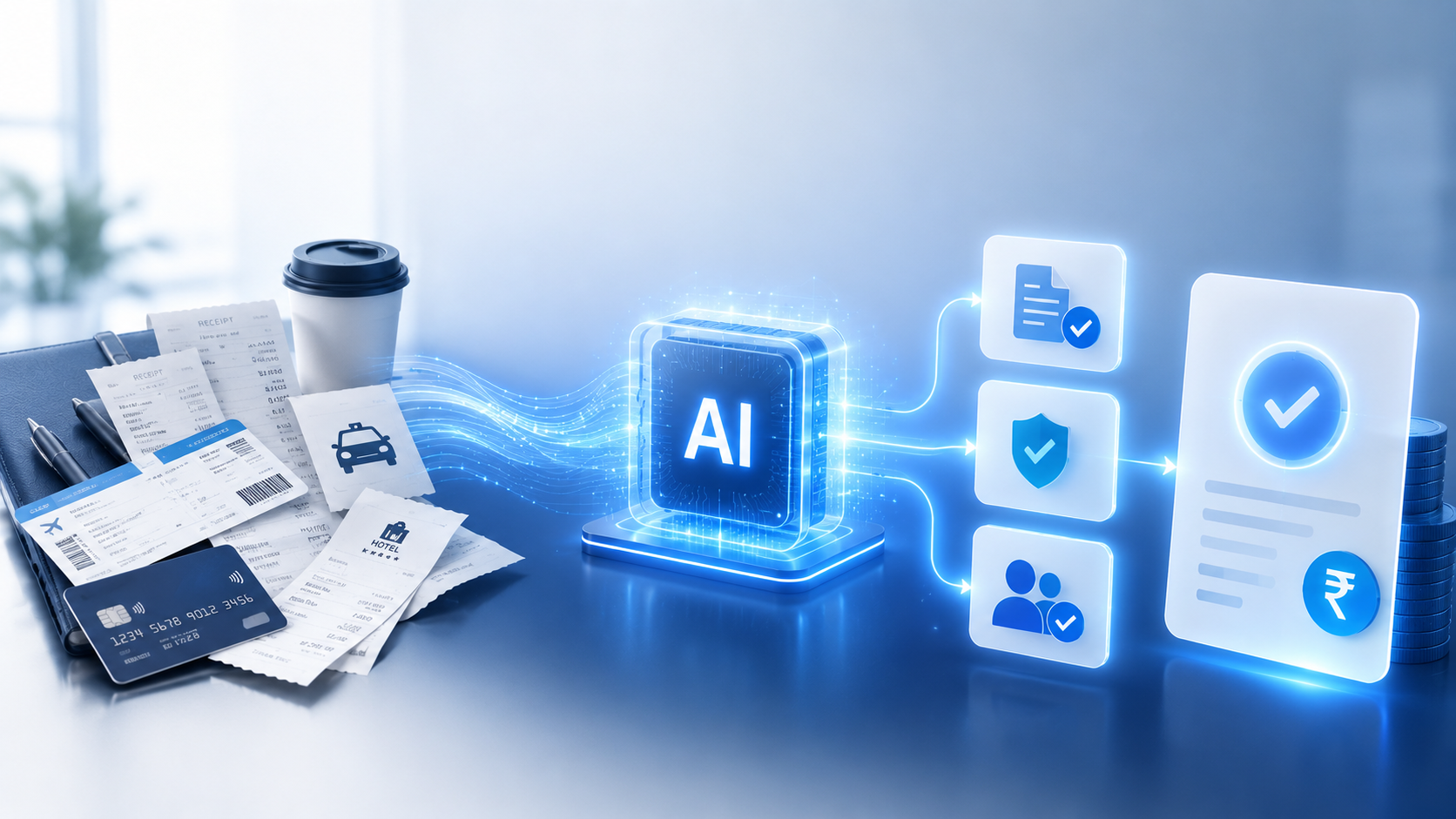
Compusoft’s AI-Powered Expense Management Agent, built on Microsoft 365 Copilot, helps organizations automate expense submission, policy validation, approval workflows, and reimbursement tracking through a simple conversational experience.
MICROSOFT 365 COPILOT · AI AGENT
The Business Challenge
Most organizations still manage employee reimbursements through a combination of spreadsheets, emails, shared folders, and manual approvals.
Common Challenges
- Employees spend time filling forms and collecting receipts.
- Finance teams manually verify expense policies.
- Approval requests are delayed due to email dependency.
- Missing documents result in repeated follow-ups.
- Employees have limited visibility into claim status.
- Organizations struggle with audit readiness and compliance.
As businesses scale across locations and departments, managing expenses becomes increasingly complex, leading to productivity loss, policy violations, and delayed reimbursements.
Real-World Business Scenario
Scenario: A Sales Manager on Client Visit
A sales manager travels to Mumbai for customer meetings. During the trip, they incur expenses for: Hotel accommodation, Taxi fares, Meals, Parking charges.

Traditionally, they would:
- Keep paper receipts.
- Fill an expense form at month-end.
- Email supporting documents.
- Wait for manager and finance approvals.
- Follow up for reimbursement status.
This process often causes: Lost receipts, Incorrect expense classification, Approval delays, Policy violations, Frustration for employees and finance teams.
With Compusoft's Expense Management AI Agent:
The employee simply tells Microsoft Copilot:
“Submit my hotel expense for ₹8,500.”
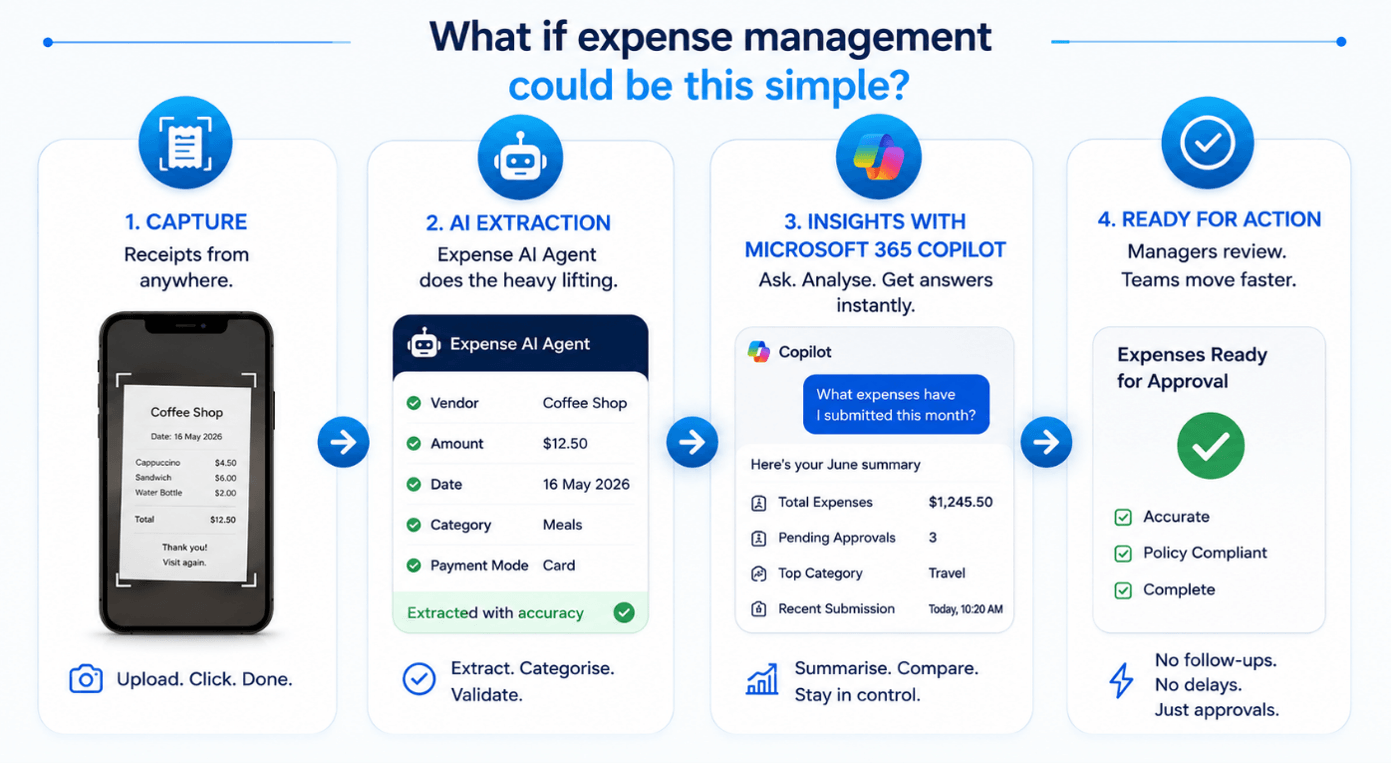
The agent extracts information from uploaded receipts, validates policy rules, routes approvals automatically, generates a claim ID, and keeps the employee updated throughout the process.
How Compusoft AI Agent Helps
Empower your workforce with an autonomous assistant that simplifies expense logs, enforces policies, and fast-tracks manager approvals.
How Compusoft AI Agent Helps
Drive organizational growth, optimize efficiency, and maximize your Microsoft 365 investments.
Industries That Can Benefit
This AI Agent is highly adaptable across industries where employee reimbursements and expense governance are critical.
- Professional Services (Consulting, Accounting, Legal, Engineering)
- IT & Technology (Software, MSPs, System Integrators)
- Manufacturing (Field Service, Plant Ops, Procurement)
- Healthcare (Medical Reps, Admin, Regional Ops)
- Retail & Distribution (Sales Reps, Territory Managers)
- Logistics & Transportation (Fleet, Ops, Field Supervisors)
- Education (Admin, Research, Field Training)
Departments That Can Use This Solution
- Finance & Accounts: Expense governance, reimbursement processing, compliance.
- Sales: Travel and customer meeting expenses.
- Field Service: Site visit and service-related expenses.
- Human Resources: Recruitment travel and employee reimbursements.
- Procurement: Vendor visit and sourcing expenses.
- Operations: Project and field-related expenditures.
- Executive Management: Corporate travel and representation expenses.
Why Compusoft?
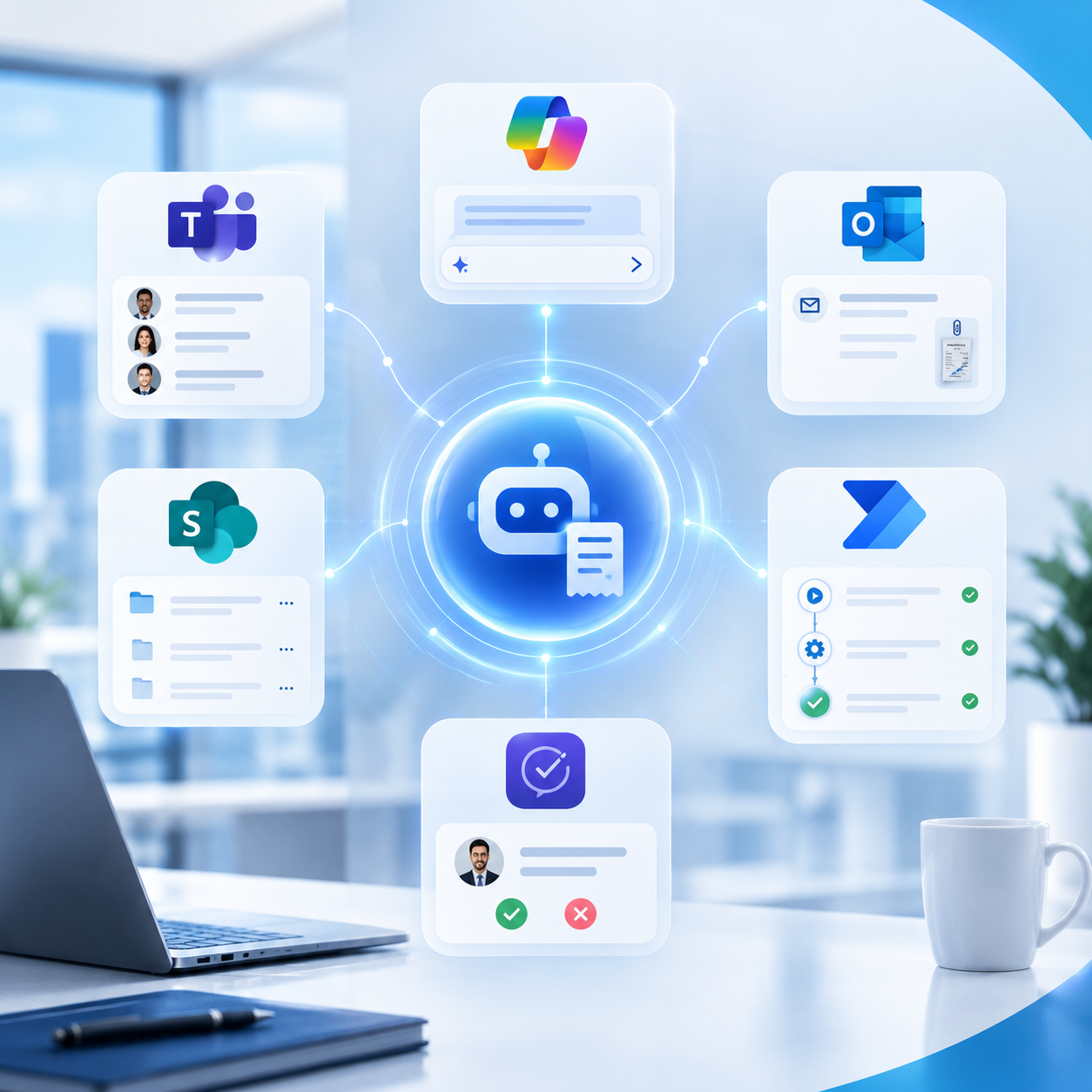
Compusoft combines Microsoft 365 Copilot, Copilot Studio, SharePoint, Power Automate, Teams, Outlook, and Microsoft Approvals into a unified AI-powered expense management solution. Our experience delivering Microsoft Copilot services and broader Microsoft solutions enables organizations to integrate AI agents into their existing Microsoft ecosystem.
Related AI Agent Solutions
Compusoft develops AI-powered solutions for different enterprise workflows using Microsoft technologies.
Frequently Asked Questions
Discover how Compusoft’s AI Expense Management Agent integrates seamlessly with Microsoft 365 Copilot to automate processes, enforce compliance, and simplify employee reimbursements.
What is an AI Expense Management Agent?
An AI Expense Management Agent is an AI-powered assistant that helps organizations automate employee expense management. Compusoft’s solution, built for Microsoft 365 Copilot, enables employees to submit expenses, process receipts, validate company policies, route approvals, track claims, and manage reimbursement workflows using natural-language conversations.
How does an Expense Management AI Agent work?
The Expense Management AI Agent allows employees to submit expenses and upload receipts through Microsoft 365 Copilot. The agent extracts relevant expense information, validates the claim against predefined company policies, initiates the appropriate approval workflow, generates claim information, and provides real-time status updates.
Can Microsoft 365 Copilot automate expense approvals?
Yes. An Expense Management AI Agent can automate the routing of expense approvals based on configured business rules such as employee grade, expense category, amount thresholds, and approval hierarchy. Managers can receive approval requests through Microsoft Teams and Outlook.
Can the AI agent process expense receipts?
Yes. The agent can extract key information from uploaded receipts, including the expense amount, vendor details, date, and expense category. Employees can review and confirm the extracted information before submitting the claim.
Can the Expense Management AI Agent validate company expense policies?
Yes. The agent can validate expense claims against predefined policies such as transaction limits, daily or monthly limits, receipt requirements, and approval rules. This helps organizations apply expense policies consistently before claims reach approvers.
Can employees submit expenses through Microsoft Teams?
Yes. Employees can interact with the Expense Management AI Agent through Microsoft Teams and Microsoft 365 Copilot. They can submit expenses, provide receipt information, check claim status, and receive approval updates without having to switch to a separate expense application.
Can employees track their expense claims using the AI agent?
Yes. Employees can use natural-language questions such as “What’s the status of my claim?”, “Show my pending claims,” or “Display my expense history.” The agent provides relevant claim and status information through the conversational interface.
What are the benefits of an AI-powered expense management solution?
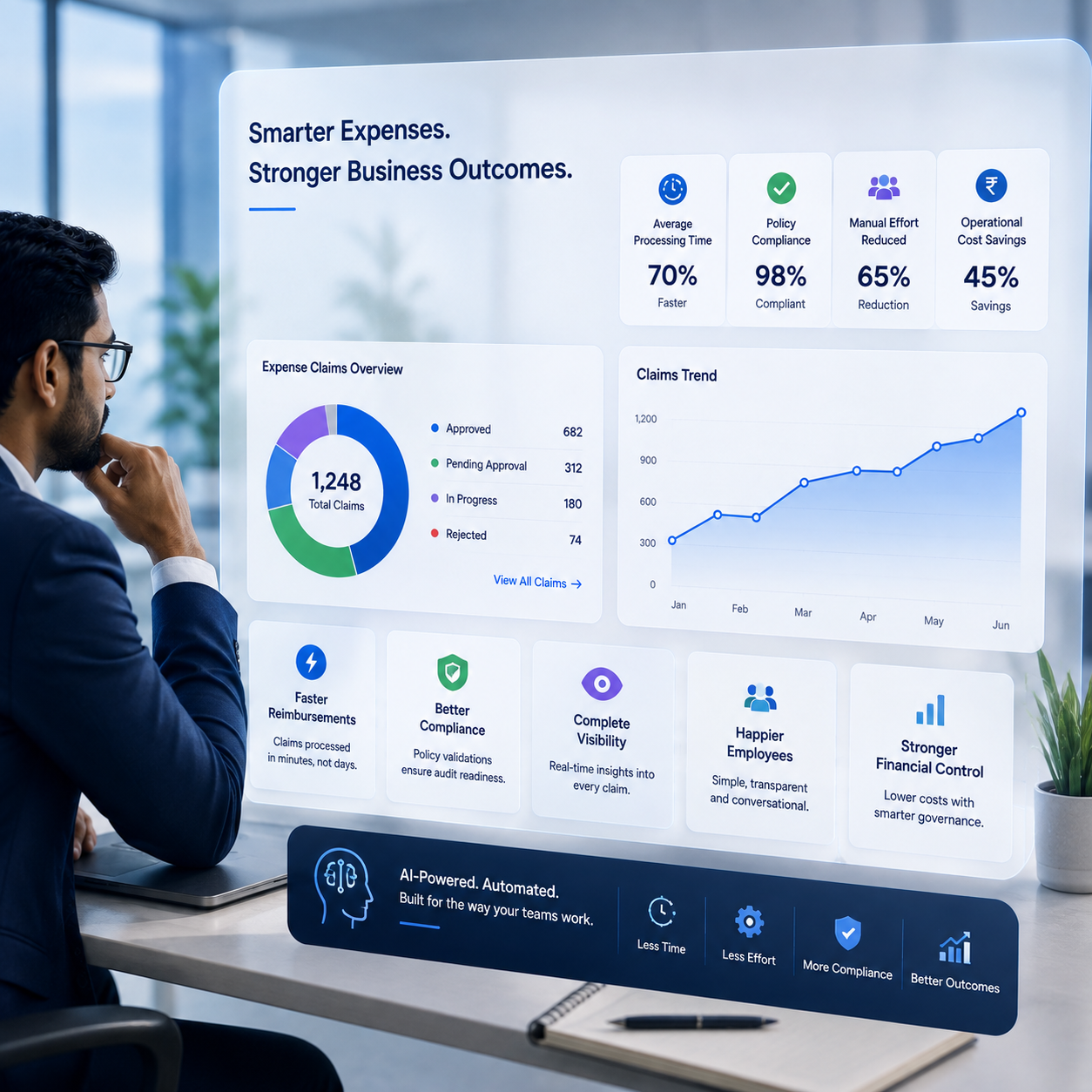
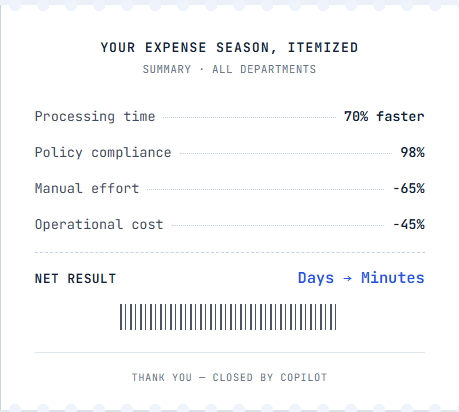
An AI-powered expense management solution can help organizations reduce manual processing, accelerate approvals, improve expense-policy compliance, provide better visibility into claims, reduce administrative effort, and improve the employee experience.
Can an Expense Management AI Agent integrate with Microsoft 365?
Yes. Compusoft’s solution is designed around the Microsoft ecosystem and combines Microsoft 365 Copilot, Copilot Studio, SharePoint, Power Automate, Microsoft Teams, Outlook, and Microsoft Approvals to support an integrated expense-management workflow.
Is an AI Expense Management Agent suitable for enterprises?
Yes. The solution can support organizations where employee reimbursements, expense governance, approvals, and compliance are important. It can be adapted for different departments and industries, including professional services, IT and technology, manufacturing, healthcare, retail, logistics, and education.
Ready to Transform Your Expense Management?
Empower your organization with Compusoft’s AI-Powered Expense Management Agent for Microsoft 365 Copilot.
Related Solutions
Let’s Talk About Your Expense Management Needs
Discover how an AI-powered Expense Management solution can help streamline your expense processes, improve efficiency, and simplify financial management. Share your details and our team will get in touch with you to discuss your requirements.
Solutions Offered












Microsoft Solution Partner
Quick Link